iPhone & iPad
A note on your Home Screen.
Show your most recently edited note, or choose one to keep in a widget. Tap it when you want to open the note.
Set up a note widget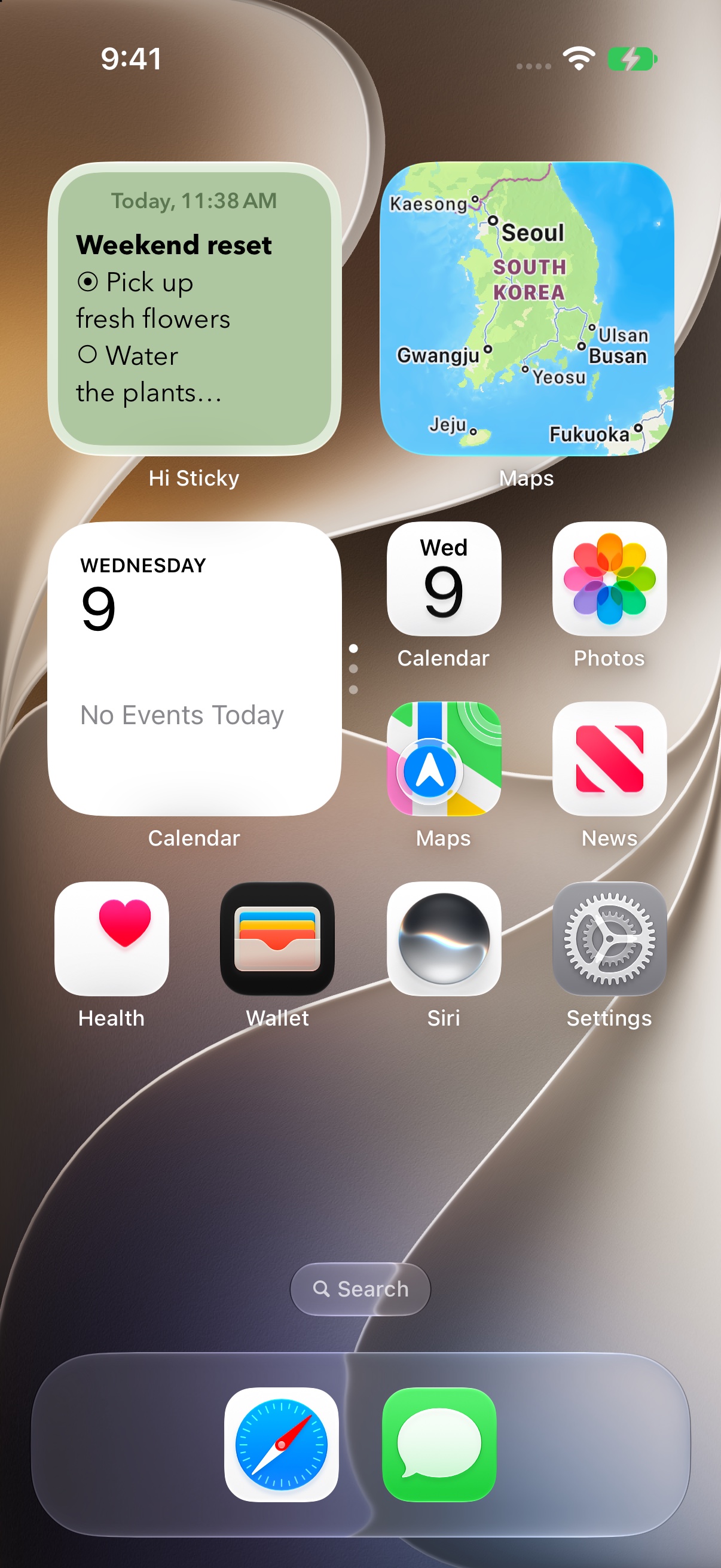
 Hi Sticky
Hi Sticky · Notes for your Apple devices
On your Home Screen. Beside your work on Mac. Keep a thought close, wherever the day takes you.
Free to download. Optional one-time upgrade.
iPhone · iPad · Mac · Apple Watch · Apple Vision Pro
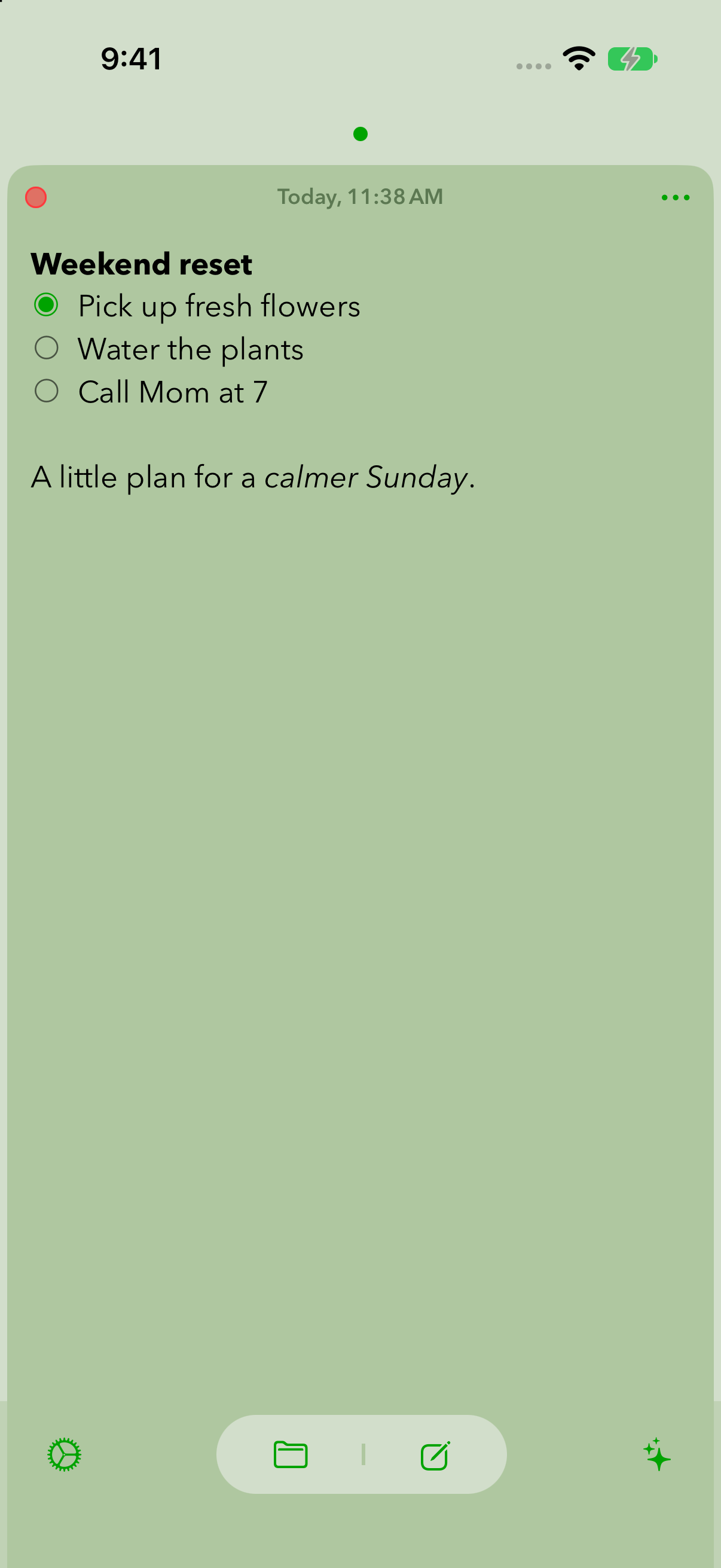
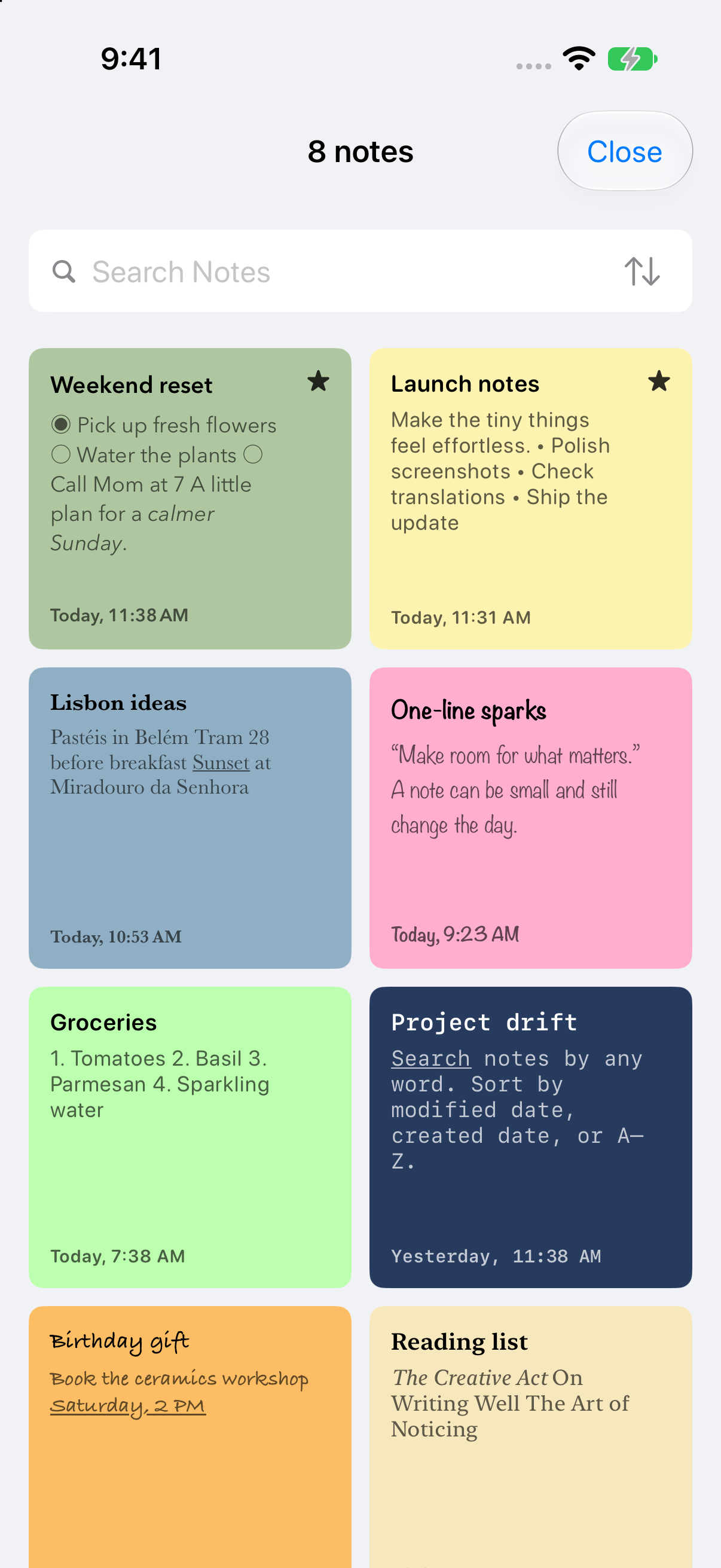
Home Screen widgetsYour note at a glance
Floating windows on MacKeep a note beside your work
iCloud syncPick up on another device
Less searching. More doing.
A shopping list before you leave. Talking points during a call. The small things are easier when they stay in sight.
iPhone & iPad
Show your most recently edited note, or choose one to keep in a widget. Tap it when you want to open the note.
Set up a note widgetMac
Turn on Keep Window in Front and leave your checklist, reference text, or next step beside the app you’re using.
Set up floating notes on Mac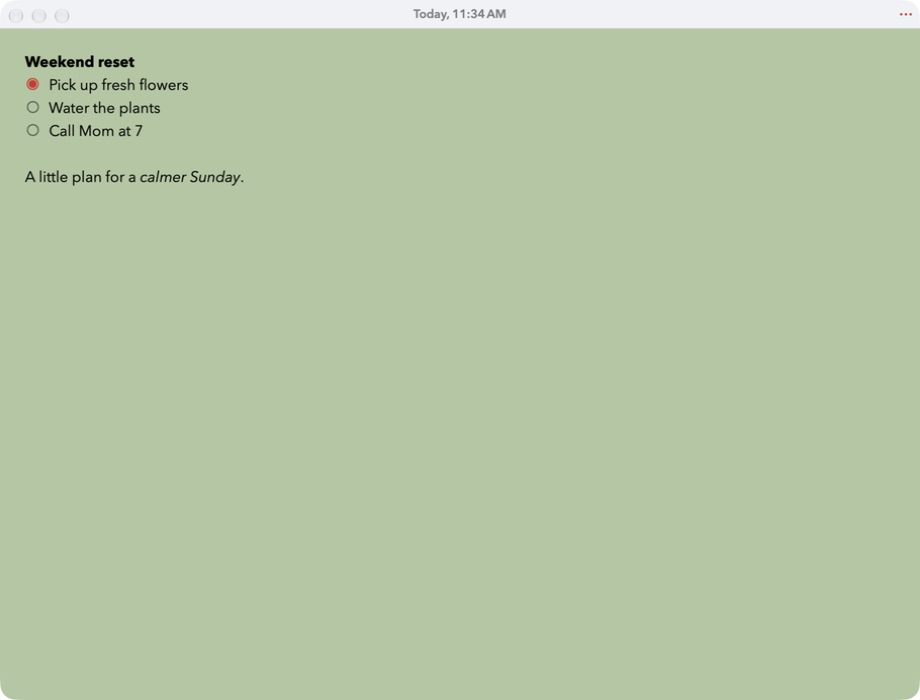
Quick to write. Easy to return to.
Start a note with the keyboard ready. Add bold text, bullets, numbered steps, or a checklist when you need a little structure.
Search a visual list of your notes. Mark the important ones as Favorites to keep them first, whichever sort order you choose.
With iCloud enabled, your notes sync across supported Apple devices. Write offline and sync when you reconnect.
Made for iPhone, iPad, Mac, Apple Watch, and Apple Vision Pro.
Make yourself at home
Hi Sticky+
More fonts, colors, app icons, font sizing, and widget controls. One optional purchase across supported Apple devices, with Family Sharing included.
See what’s included in Hi Sticky+Hi Sticky is free to download. Hi Sticky+ is an optional one-time purchase for additional appearance and widget settings. See what Hi Sticky+ includes.
Yes. Touch and hold the note widget, select Edit Widget, turn off Recent, and choose a Note. Leave Recent on to show your most recently modified note. See the iPhone widget guide.
Yes, with iCloud enabled for Hi Sticky and the same Apple Account on your devices. You can write offline; changes sync when a connection is available.
Notes are stored on your device and, when you enable iCloud, sync through Apple’s iCloud services. Hi Sticky does not operate a separate server that stores your note content. Read our privacy policy for details.
Download Hi Sticky free. Keep a little note close.
Download on theApp Store